How to Link Your Discord Account to the GameServersHub Billing Panel
This guide will walk you through the steps to link your Discord account to your Billing Panel. There are a few reasons you'll want to do this:
- Support Tickets: If you ever need to create a ticket on GSH's Discord, you'll need to link your account to verify your identity.
- Customer Roles and Benefits: Linking unlocks customer roles within GSH's Discord, which lets you advertise your server and grants you access to customer-only channels.
- PotBot Premium Activation: If you own a Path of Titans server, linking will activate your PotBot Premium as well!
Accessing the Billing Panel
First, you'll need to navigate to your Billing Panel. You can do so by clicking here.
Linking Your Discord Account
Once you're in the Billing Panel, you will see a Link Social Media option on the left side. Simply click the Link button, which is located here:
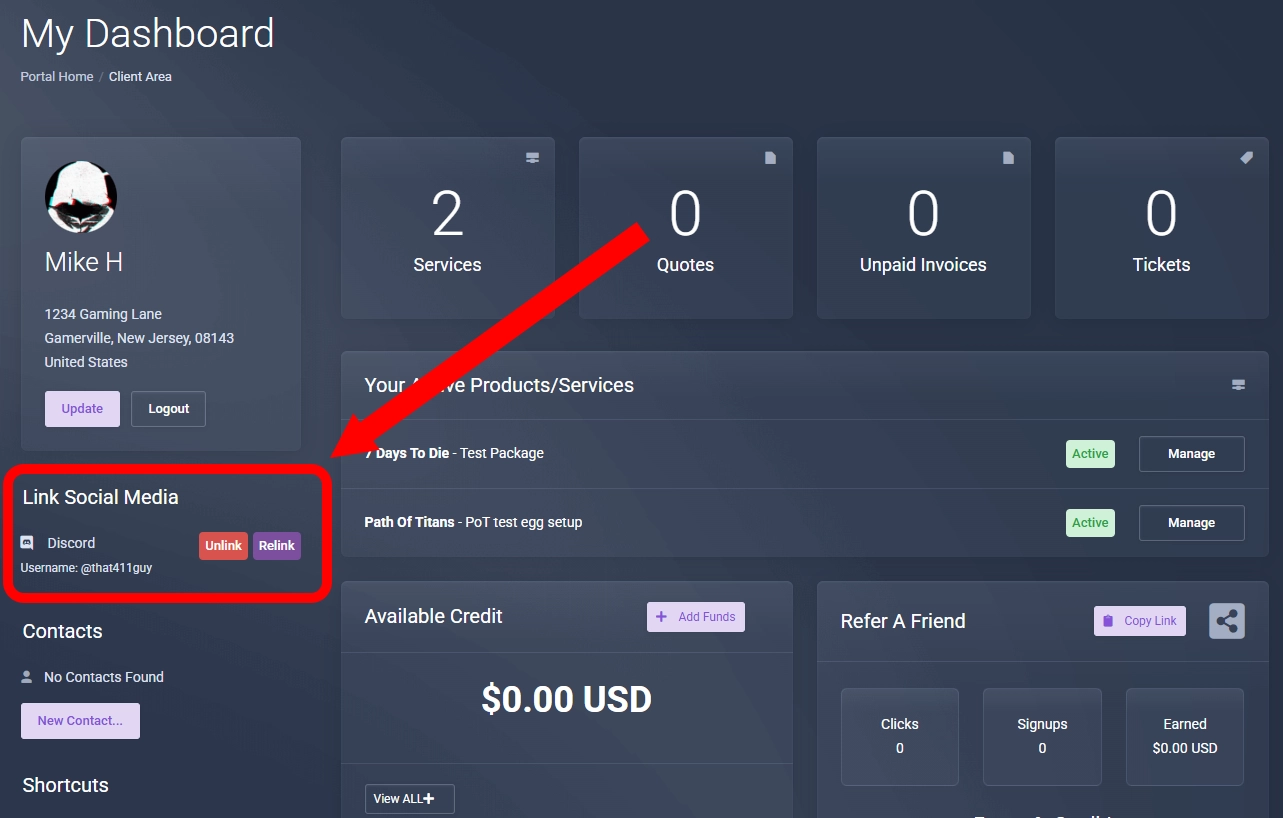
You'll be prompted to verify that it's your Discord account you're linking.
Afterwards, please double-check that your Discord name is displayed. That's all!